
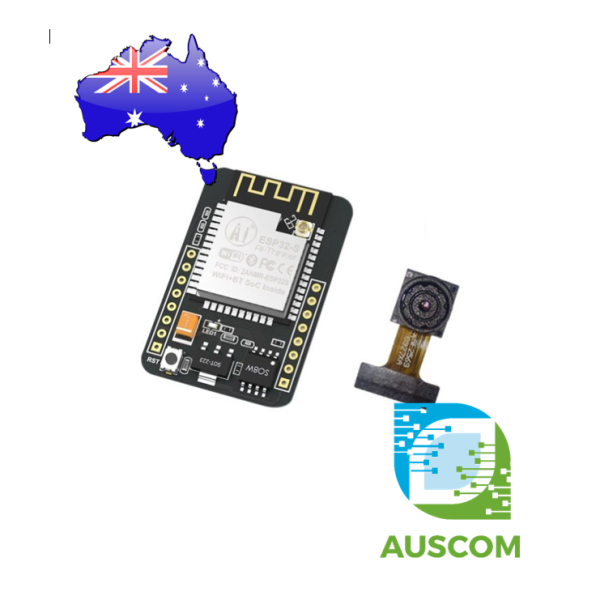
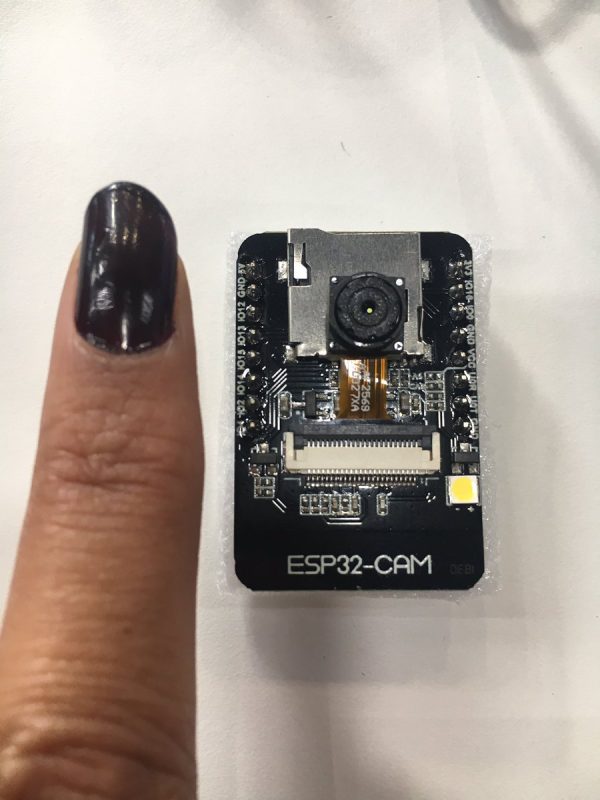
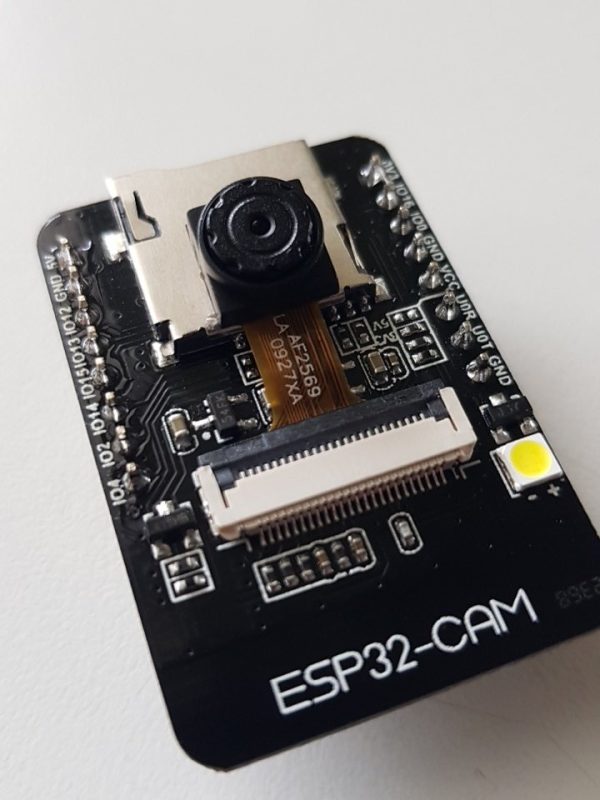
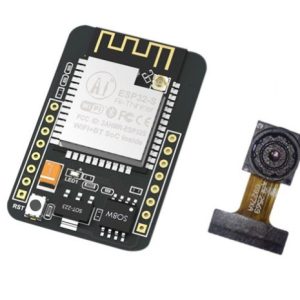
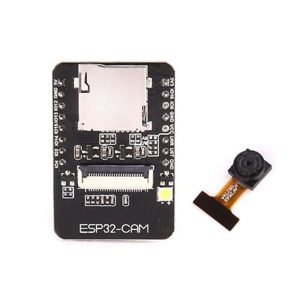
ESP32-CAM WiFi Bluetooth Module with OV2640 Camera ESP32 Camera Board IoT
$12.95 Inc. GST
You save
- Description
- Code Examples
- Additional information
- Reviews (0)
Description
📸 ESP32-CAM WiFi Bluetooth Development Board with OV2640 Camera – ESP32 Camera Module for IoT, Smart Home & AI Projects | AuscomTech
High-Performance ESP32 Camera Module for IoT, AI Vision, Robotics & Wireless Video Streaming
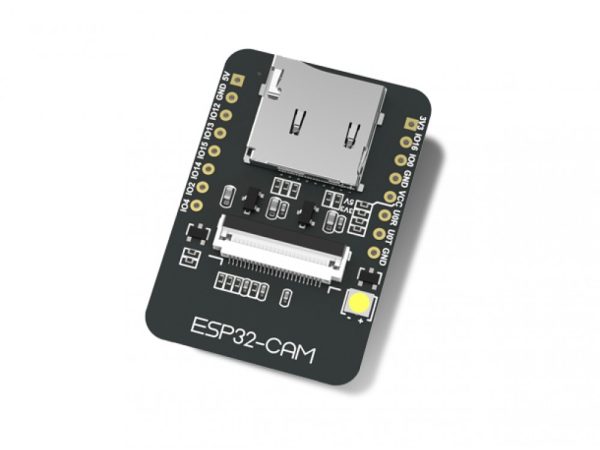
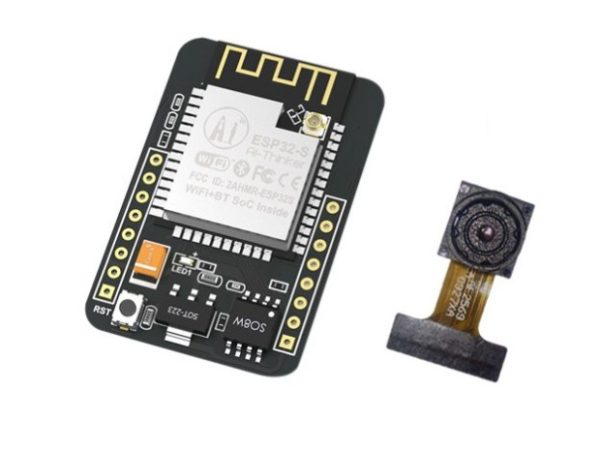
The ESP32-CAM Development Board with OV2640 Camera is one of the most versatile and powerful IoT camera solutions available. Combining the ESP32 dual-core processor, integrated WiFi + Bluetooth, and a 2MP OV2640 camera, this module is perfect for wireless video, AI-based projects, smart security devices, robotics vision, QR scanning, and more.
Compact, efficient, and feature-rich, the ESP32-CAM is ideal for makers, students, engineers, and AuscomTech customers building professional IoT systems.
⚙️ Key Features
🚀 High-Performance ESP32 Processor
-
Dual-core Xtensa® 32-bit LX6 CPU
-
Up to 240 MHz clock speed
-
Up to 600 DMIPS processing power
🧠 Generous Memory
-
520 KB SRAM (internal)
-
4 MB PSRAM (external) for camera buffers, AI tasks, streaming, etc.
📡 WiFi + Bluetooth
-
2.4 GHz Wi-Fi (802.11 b/g/n)
-
Bluetooth Classic & BLE
📸 Included Camera: OV2640 (2MP)
-
High-quality imaging
-
Supports JPEG, RGB, YUV output
-
Supports auto-exposure & auto-white-balance
-
Supports built-in flashlight/LED flash
🔌 Rich Connectivity Interfaces
-
UART, SPI, I²C, PWM, ADC, DAC
-
GPIO for sensors, relays, triggers, and robotics
-
TF/MicroSD card slot for photo/video storage
🌐 WiFi Image Upload + Streaming
-
Real-time image upload
-
Live MJPEG/streaming (perfect for DIY IP cameras)
-
Remote surveillance and monitoring
💾 TF Card Support
-
Log images
-
Store video
-
Save recognition data
🔋 Energy Efficient
-
Deep sleep current as low as 6 mA
-
Perfect for battery-powered projects
🧰 Built-In Frameworks
-
LwIP
-
FreeRTOS
-
Perfect for multitasking and advanced IoT apps
🛰 Multiple Operating Modes
-
STA (client)
-
AP (hotspot)
-
STA + AP
-
Supports Smart Config & AirKiss one-touch WiFi setup
🧱 Compact DIP Design
-
Only 27 × 40.5 mm
-
Easy to mount on PCB backplanes
-
Ideal for mass production
🧩 Applications
-
Smart home IoT cameras
-
Wireless surveillance systems
-
QR code recognition systems
-
Object detection / AI projects
-
Pet / wildlife cameras
-
FPV robotics vision
-
Industrial monitoring & automation
-
Doorbell cameras / access control
-
Environmental monitoring stations
-
Remote datalogging with photo capture
📊 Technical Specifications
| Feature | Details |
|---|---|
| Processor | ESP32 Dual-Core 32-bit LX6, up to 240 MHz |
| SRAM | 520 KB |
| PSRAM | 4 MB |
| Wireless | WiFi 2.4 GHz + Bluetooth / BLE |
| Camera Interface | OV2640 / OV7670 supported |
| External Storage | TF/MicroSD card slot |
| Interfaces | UART, SPI, I²C, PWM, ADC, DAC |
| Sleep Current | ~6 mA (Deep Sleep) |
| Operating Modes | AP, STA, AP+STA |
| Size | 27 × 40.5 mm |
| Power Supply | 5V (via 5V pin) |
📦 Package Includes
-
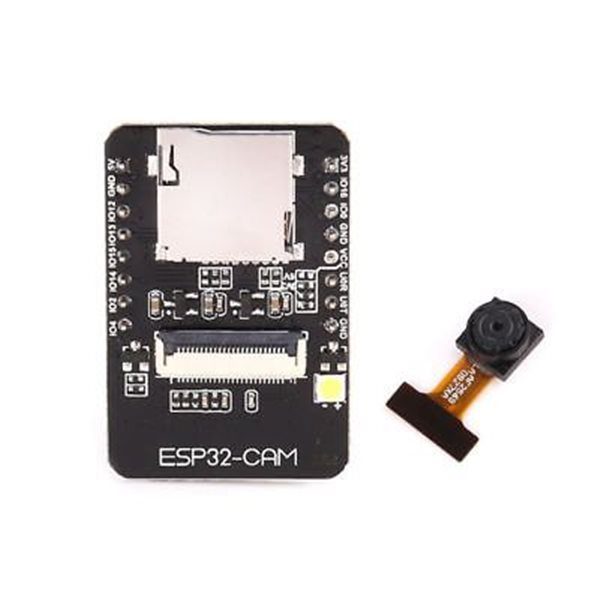
1 × ESP32-CAM Development Board
-
1 × OV2640 2MP Camera Module
📌 Code Examples & Usage – ESP32-CAM WiFi & Bluetooth Camera Module
📋 Overview
The ESP32-CAM is a compact Wi-Fi + Bluetooth microcontroller with an onboard camera interface, designed for low-cost image capture and streaming applications.
It is ideal for:
-
Wi-Fi cameras & live streaming
-
Smart doorbells
-
Motion-triggered cameras
-
IoT image capture
-
Home automation & monitoring
⚠ Important:
The ESP32-CAM does NOT have a built-in USB interface.
A USB-to-Serial adapter is required for programming.
⚙ Key Features
-
MCU: ESP32 (dual-core)
-
Wireless: Wi-Fi + Bluetooth
-
Camera support: OV2640 (most common)
-
Operating voltage: 5V input
-
Logic level: 3.3V
-
Onboard microSD card slot
-
Ultra-compact form factor
⚠ IMPORTANT – Read Before You Start
🚨 No USB port onboard
-
Requires USB-to-Serial adapter (FTDI / CH340 / CP2102)
🚨 Boot mode jumper required
-
GPIO0 must be pulled LOW during upload
-
Must be released (HIGH) to run the sketch
🚨 Power matters
-
Camera + Wi-Fi draws high current
-
Use a stable 5V supply (≥1A recommended)
📌 Most ESP32-CAM issues are caused by insufficient power.
🔌 Programming Wiring (USB-to-Serial Adapter)
| ESP32-CAM Pin | USB-Serial Adapter |
|---|---|
| 5V | 5V |
| GND | GND |
| U0R | TX |
| U0T | RX |
| IO0 | GND (for upload only) |
📌 RX ↔ TX must be crossed
📌 Remove IO0-GND connection after uploading
🛠 Arduino IDE Setup (ESP32)
1️⃣ Install ESP32 Board Support
Arduino IDE → File → Preferences
Add to Additional Boards Manager URLs:
Then:
-
Tools → Board → Boards Manager
-
Install esp32 by Espressif Systems
2️⃣ Board Settings (Recommended)
-
Board: AI Thinker ESP32-CAM
-
Upload Speed: 115200
-
Flash Frequency: 40MHz
-
Flash Mode: QIO
-
Partition Scheme: Huge APP (3MB No OTA)
📌 If upload fails, slow baud rate to 115200.
🧪 1️⃣ First Test – Camera Web Server (Official Example)
This is the best first test and proves everything works.
In Arduino IDE:
Required Changes
-
Select AI Thinker ESP32-CAM
-
Uncomment:
-
Enter your Wi-Fi credentials:
⏫ Upload Procedure (CRITICAL)
-
Connect IO0 → GND
-
Click Upload
-
When upload finishes:
-
Disconnect IO0 from GND
-
-
Press RESET on the ESP32-CAM
-
Open Serial Monitor at 115200 baud
-
Copy the IP address shown
📌 Open the IP address in your browser to view the camera stream.
📷 Camera Web Interface Features
✔ Live video stream
✔ Still image capture
✔ Resolution selection
✔ Brightness / contrast control
✔ Flash LED (if fitted)
🧪 2️⃣ Take Still Photos & Save to SD Card
The ESP32-CAM can save images directly to a microSD card.
Common uses:
-
Time-lapse photography
-
Motion capture
-
Evidence logging
📌 SD card uses SPI mode, not SDIO.
💡 Flash LED Control Note
Many ESP32-CAM boards include a bright white LED connected to GPIO4.
Example:
⚠ LED draws significant current.
🧠 Common Issues & Fixes
| Issue | Cause | Fix |
|---|---|---|
| Brownout reset | Weak power | Use 5V ≥1A supply |
| Upload fails | IO0 not LOW | Ground IO0 during upload |
| No camera image | Wrong board | Select AI Thinker ESP32-CAM |
| Blank page | Wrong IP | Check Serial Monitor |
| Reboots on stream | Power dip | Better PSU / shorter cable |
Additional information
| Weight | 30 g |
|---|---|
| Dimensions | 260 × 160 × 20 mm |
Only logged in customers who have purchased this product may leave a review.
















Reviews
There are no reviews yet.