
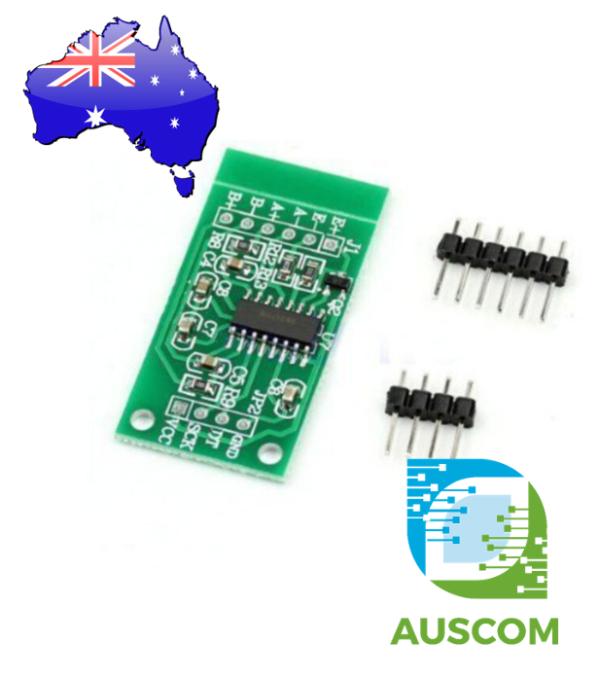
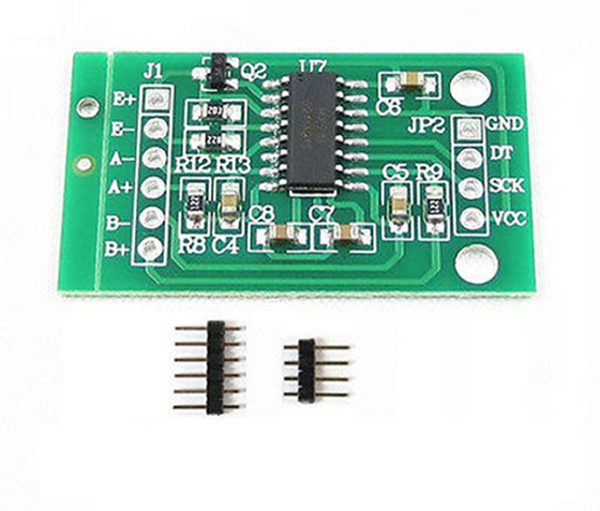
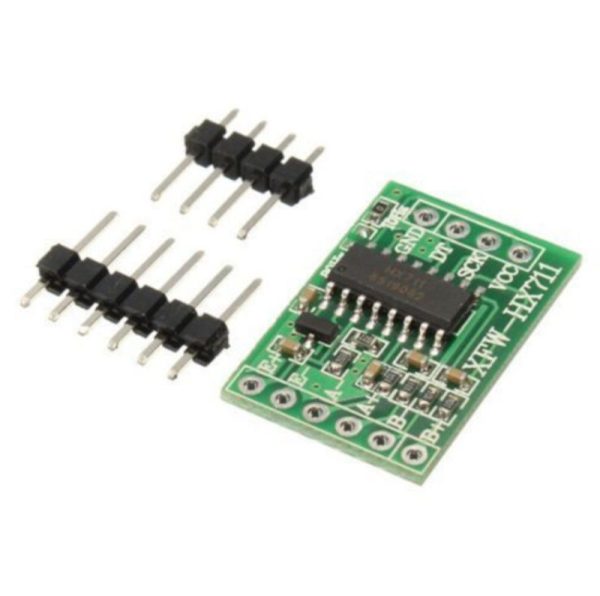
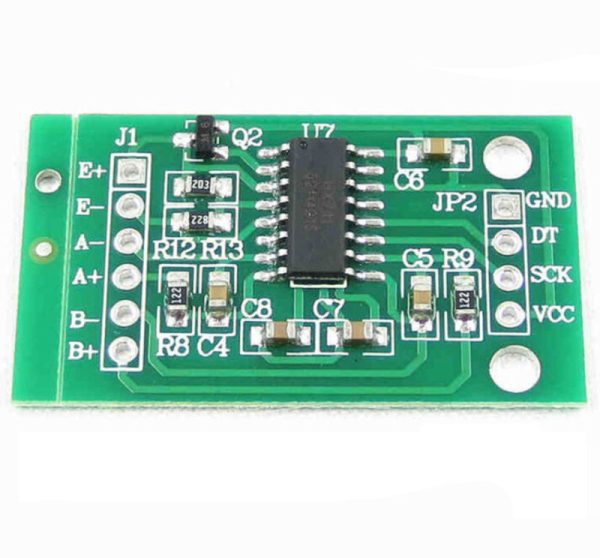
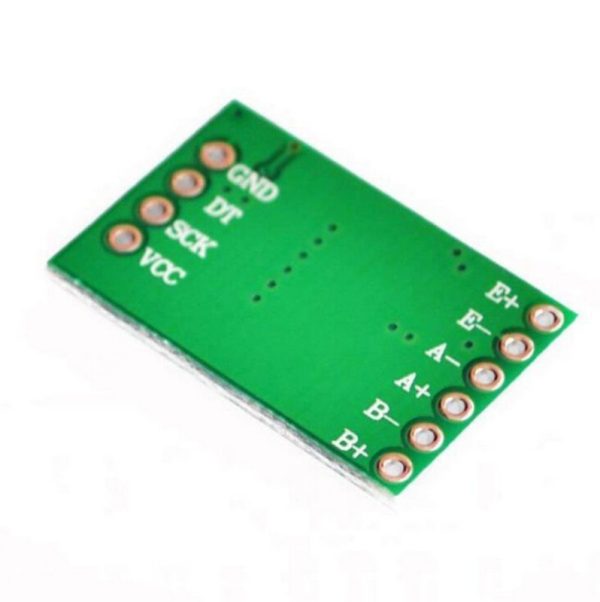
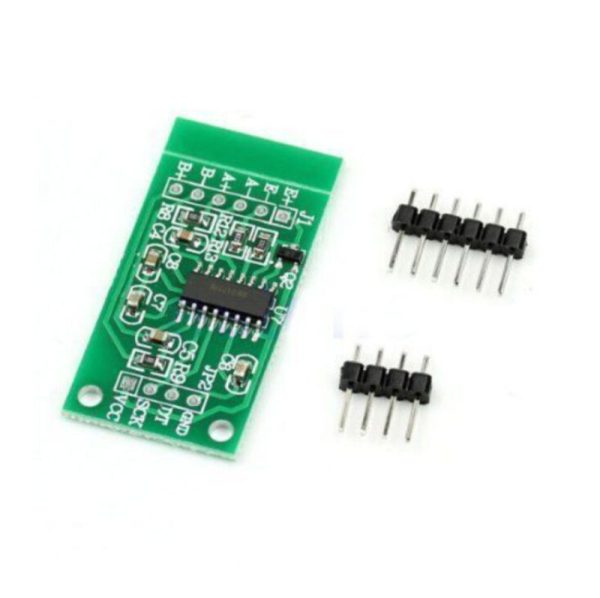
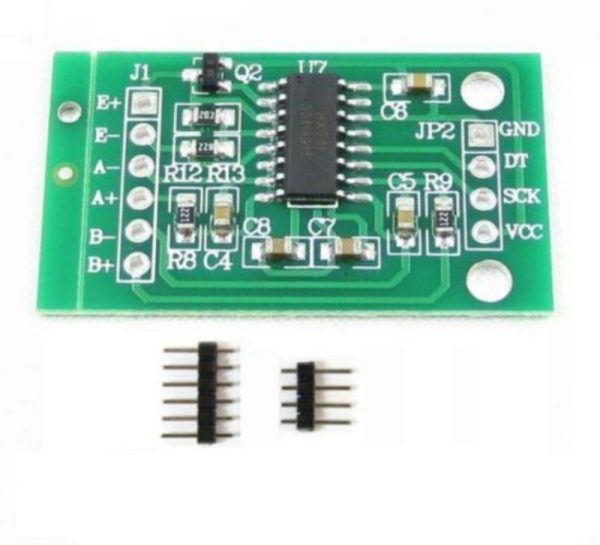
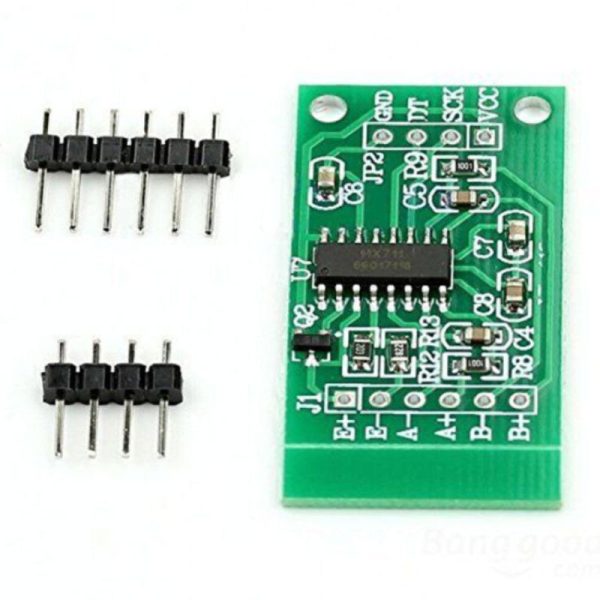
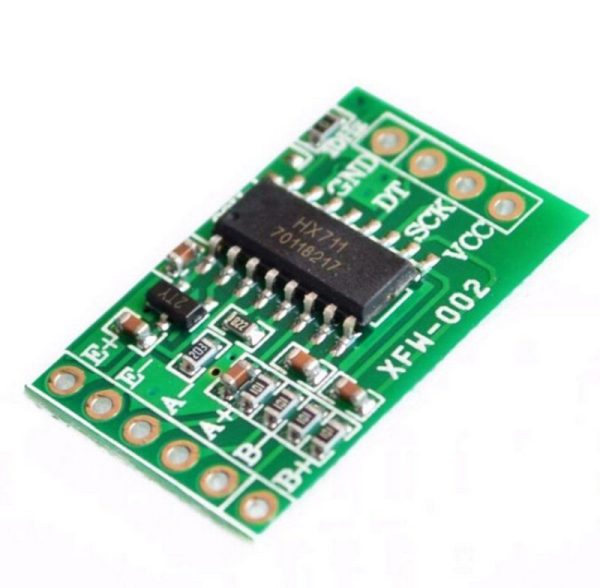
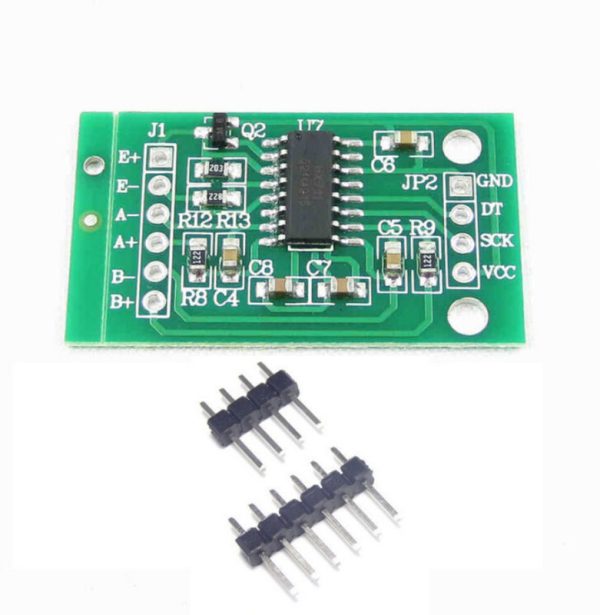
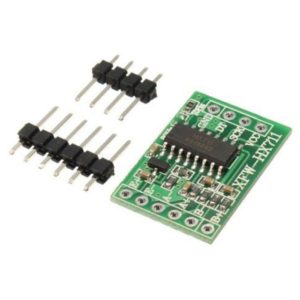
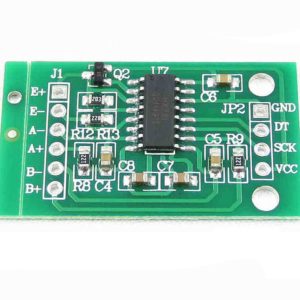
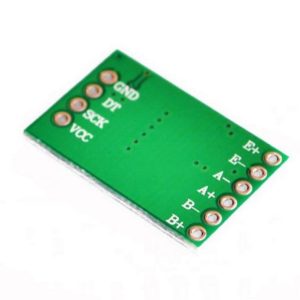
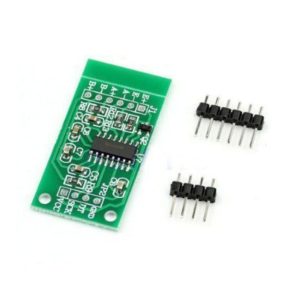

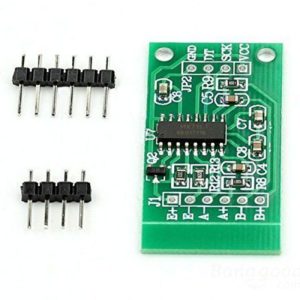

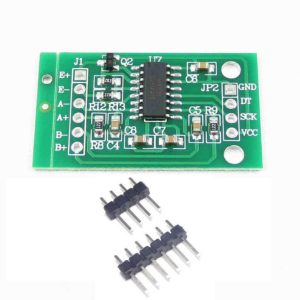
HX711 Electronic Load Cell Weighing Sensor 2 Channel 24-bit A/D Converter Module

$4.20 Inc. GST
You save
- Description
- Code Examples
- Additional information
- Reviews (0)
Description
⚖️ HX711 Load Cell Weighing Sensor Module – 2 Channel 24-bit A/D Converter for Arduino & ESP32
Overview
The HX711 Electronic Weighing Sensor Module is a 24-bit dual-channel precision A/D converter designed specifically for load-cell and strain-gauge applications such as electronic scales, pressure sensors, and force measurement systems.
Equipped with an integrated programmable gain amplifier (PGA), selectable between 32, 64, and 128, it delivers exceptional sensitivity and accuracy while remaining cost-effective and easy to integrate.
This compact module provides a simple digital serial interface, making it perfect for projects requiring high-resolution analog-to-digital conversion — including Arduino, ESP32, and Raspberry Pi setups.
⚙️ Key Features
-
🔹 High precision 24-bit A/D converter (HX711 chip)
-
🔹 Two selectable differential input channels (A & B)
-
🔹 Selectable gain amplification: 32, 64, or 128
-
🔹 Built-in regulator for stable load-cell and analog power supply
-
🔹 Selectable output rate: 10 SPS or 80 SPS
-
🔹 Simultaneous 50 Hz and 60 Hz noise rejection
-
🔹 Low current consumption: <1.5 mA (active), <1 µA (power down)
-
🔹 Simple 2-wire serial interface — no programming required
-
🔹 Ideal for load-cell, pressure, or force measurement projects
📊 Specifications
| Parameter | Description |
|---|---|
| Model | HX711 Load Cell Amplifier Module |
| Chipset | HX711 (24-bit ADC) |
| Input Channels | 2 Differential (Channel A & Channel B) |
| Selectable Gain | 32 / 64 / 128 |
| Output Data Rate | 10 SPS or 80 SPS |
| Operating Voltage | 2.6 V – 5.5 V DC |
| Operating Current | <1.5 mA (typical) |
| Power Down Current | <1 µA |
| Operating Temperature | −40 °C to +85 °C |
| Dimensions | 25 × 15 mm |
| Output Interface | Digital Serial (DT & SCK) |
| Compatibility | Arduino, ESP32, ESP8266, Raspberry Pi, STM32, Load Cells, Pressure Sensors |
🧩 Applications
✅ DIY electronic scales and weight sensors
✅ Force and pressure measurement systems
✅ Robotics and automation sensing
✅ Smart home weighing applications
✅ IoT-based industrial load monitoring
✅ Strain gauge and bridge sensor amplification
📦 Package Includes
-
1 × HX711 24-bit Weighing Sensor Amplifier Module
-
1 × Pin Header Set (unsoldered)
📌 Code Examples & Usage – HX711 24-Bit A/D Load Cell Converter Module
📋 Overview
The HX711 is a precision 24-bit analog-to-digital converter (ADC) designed for weighing scales and sensor bridge applications. It’s most commonly paired with strain gauge load cells to read weight or force with high resolution.
The module provides two channels (A and B) and communicates with microcontrollers via a simple 2-wire serial interface (DATA / CLOCK).
Typical applications include:
-
Digital weighing scales
-
Force / pressure measurement
-
Industrial load monitoring
-
Arduino & ESP32 sensor integration
-
Raspberry Pi data logging
⚙ Key Features
-
24-bit resolution ADC
-
Two differential inputs (Channel A ×128 gain; Channel B ×32 gain)
-
Low noise & high sensitivity
-
Simple 2-wire digital interface
-
Works with 5V (logic) microcontrollers
-
Ideal for load cell, strain gauge, pressure bridge
⚠ IMPORTANT – Load Cells & Power
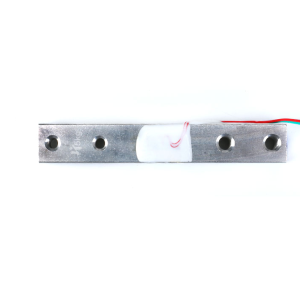
✔ The HX711 itself does not measure weight directly — it reads tiny voltages from a load cell.
✔ Use a 4-wire or 6-wire load cell bridge (commonly 50kg / 100kg / 200kg / 500kg etc).
✔ Provide stable 5V to the module and load cell supply.
🔌 Pinout
| Pin | Function |
|---|---|
| VCC | 2.7–5.5V (usually 5V) |
| GND | Ground |
| DT (DATA) | Serial data out |
| SCK (CLOCK) | Serial clock |
| SCL / SCK | Clock (often same pin label) |
📌 Some breakout boards also expose:
-
Channel A gain options
-
Channel B input
-
Dual headers for breadboard use
🔌 Wiring – Arduino Example
Connect a typical load cell (4-wire) like this:
| Load Cell | HX711 |
|---|---|
| Red (E+) | E+ |
| Black (E−) | E− |
| White (A−) | A− |
| Green (A+) | A+ |
Then connect the HX711 to Arduino:
| HX711 | Arduino Uno |
|---|---|
| VCC | 5V |
| GND | GND |
| DT | D3 |
| SCK | D2 |
📌 If your board uses DATA / CLOCK labels, map accordingly.
🛠 Arduino IDE Library Setup
Install via Library Manager:
-
HX711 by Bogde
Arduino IDE → Sketch → Include Library → Manage Libraries → search “HX711”.
🧪 1️⃣ Basic Read Example (Raw Counts)
This shows raw ADC values from the load cell.
🧪 2️⃣ Calibration Example (Convert to Weight)
Calibration is the process of finding a scale factor that converts raw counts into meaningful units (g, kg, lb).
How to calibrate:
-
Upload this sketch
-
Put a known mass on the load cell (e.g., 5kg)
-
Adjust
calibration_factoruntil the reading matches the known weight
🧪 3️⃣ Taring (Zeroing) Example
Send t from Serial Monitor to zero the scale.
🧠 Channel Gain Notes
-
Channel A (default): higher gain (×128) — fine for most load cells
-
Channel B: lower gain (×32) — for much larger signals or special sensors
Most breakout boards default to Channel A.
🔋 Power & Noise Tips
✔ Use a stable 5V supply — fluctuations introduce noise
✔ Shorten wiring between load cell and HX711 if possible
✔ For long runs, twist pairs / shield cable from cell to module
✔ Add a small 0.1–1 µF decoupling cap across VCC–GND near the HX711
🧠 Common Issues & Fixes
| Issue | Cause | Fix |
|---|---|---|
| Random/noisy readings | Noise | Shorten wires, shield, add decoupling |
| Zero reading drift | No tare | Call scale.tare() |
| Values too large | Wrong calibration | Adjust calibration factor |
| No output | Wrong pins | Check DT/SCK wiring |
| ESP32 unstable | Power | Use 5V regulator |
Additional information
| Weight | 20 g |
|---|---|
| Dimensions | 180 × 260 × 20 mm |
Only logged in customers who have purchased this product may leave a review.












Reviews
There are no reviews yet.