
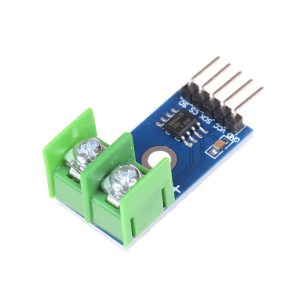
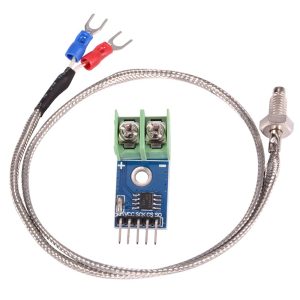
MAX6675 K-Type Thermocouple Sensor Module with M6 Probe for Arduino

$9.95 Inc. GST
You save
- Description
- Code Examples
- Additional information
- Reviews (0)
Description
🔧 MAX6675 K-Type Thermocouple Sensor Module with M6 Probe | AuscomTech
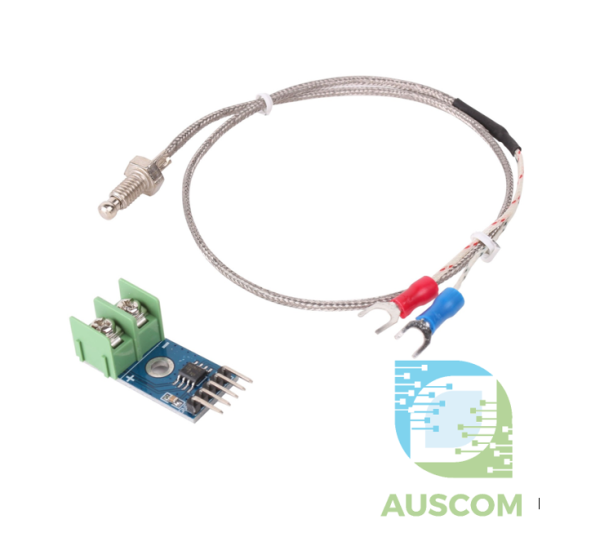
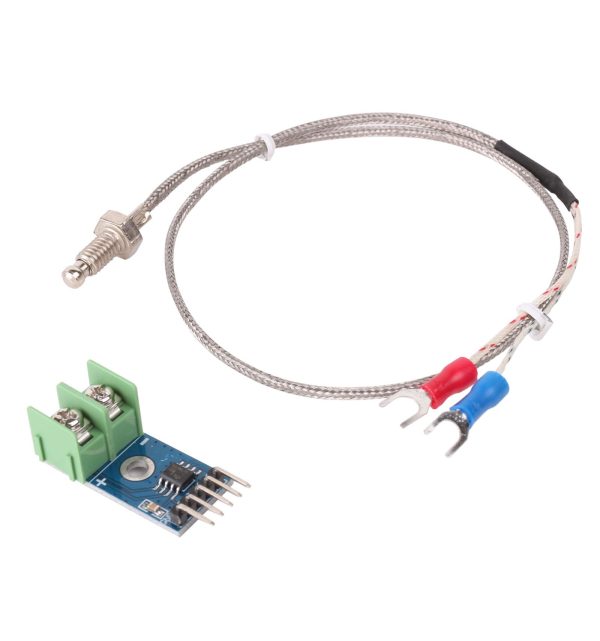
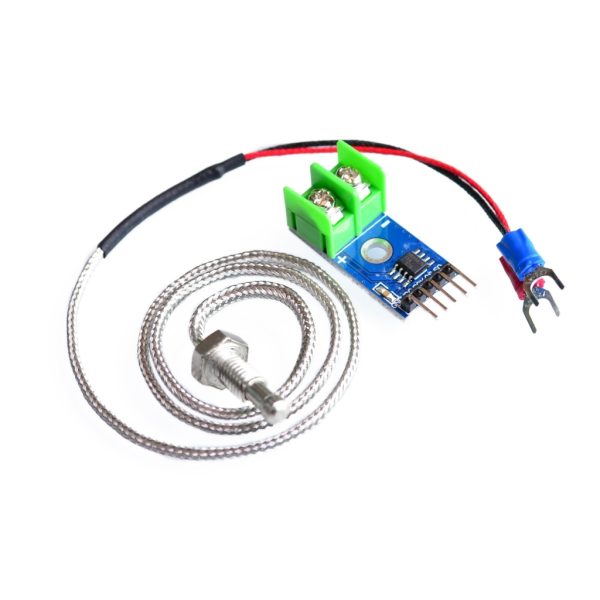
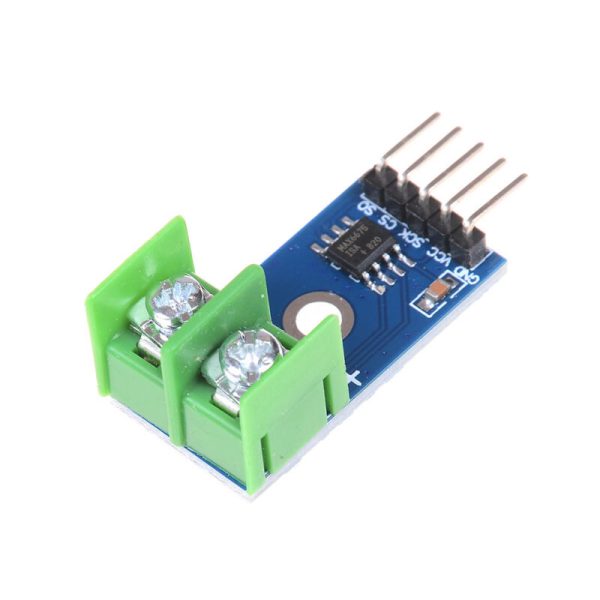
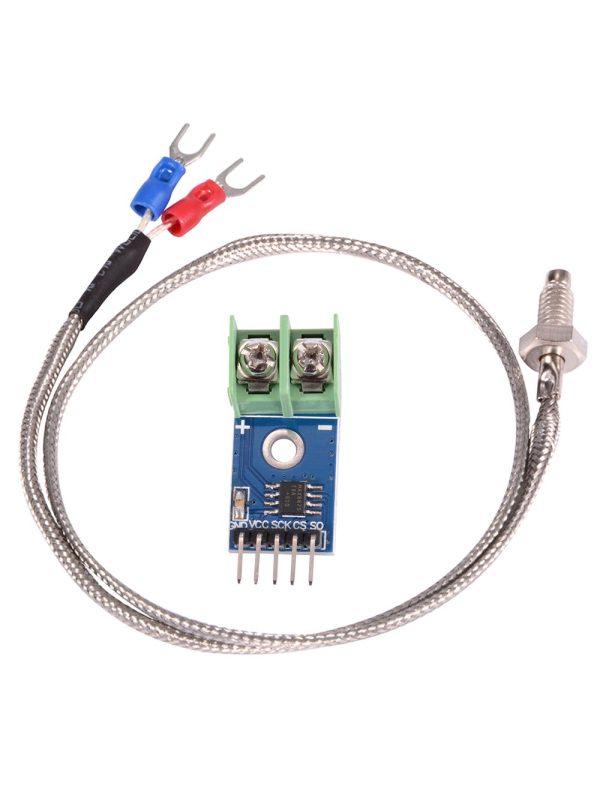
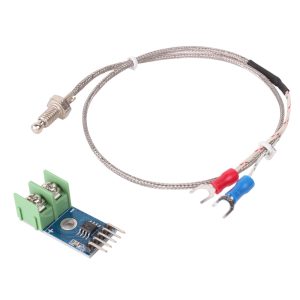
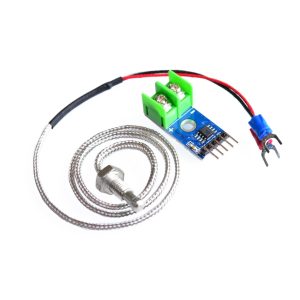
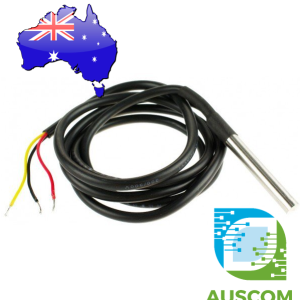
This MAX6675 temperature sensing kit includes the thermocouple interface module and an M6 K-type probe, making it ready for Arduino and microcontroller temperature measurement projects.
The module converts thermocouple input into digital temperature data using an SPI interface, allowing reliable readings from high-temperature applications where standard sensors are not suitable.
Typical use includes heater monitoring, ovens, hot plates, 3D printer experiments, furnace testing, and DIY automation systems requiring a mounted metal probe.
⭐ Key Features
- Module and Probe Included – Supplied with the MAX6675 board and M6 K-type thermocouple probe.
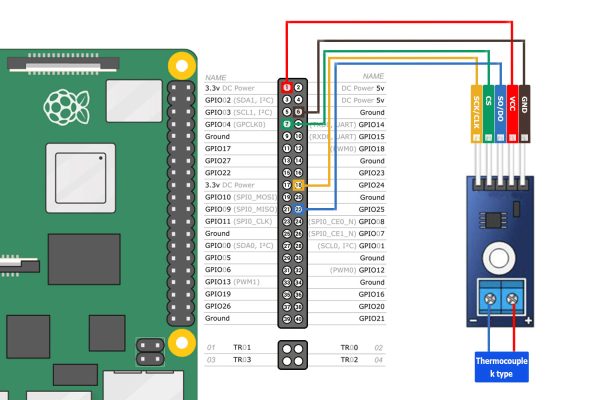
- SPI Digital Interface – Connects using GND, VCC, SCK, CS, and SO pins for simple microcontroller communication.
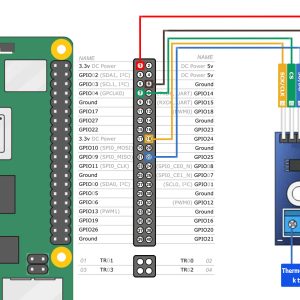
- Arduino Compatible – Suitable for Arduino, ESP32, Raspberry Pi, and other compatible development boards.
- High Temperature Measurement – Designed for K-type thermocouple sensing where higher temperatures are required.
- 0.25°C Resolution – Provides fine measurement resolution for monitoring and control projects.
- Cold Junction Compensation – Built-in compensation helps improve temperature reading stability.
- M6 Screw Probe – Threaded probe head allows more secure mounting in compatible surfaces or brackets.
- Compact PCB Design – Small board size is easy to install inside control panels and electronics projects.
📊 Technical Specifications
- Converter IC: MAX6675
- Sensor Type: K-type thermocouple
- Included Probe: M6 screw-head thermocouple probe
- Working Voltage Range: 3.0V to 5.5V
- Power Supply Voltage: 3V to 5V DC
- Working Current: approx. 50mA
- Interface Pins: GND, VCC, SCK, CS, SO
- Output Mode: SPI digital signal
- Temperature Measuring Range: -200°C to 1300°C
- Test Procedure Range: 0°C to 1023°C
- Measurement Accuracy: ±1.5°C
- Temperature Resolution: 0.25°C
- Working Temperature Range: -20°C to 85°C
- Storage Temperature: -50°C to 150°C
- Module Size: approx. 32mm × 16mm
🧩 Typical Applications
- Arduino temperature monitoring
- ESP32 and Raspberry Pi sensor projects
- Oven and hot plate temperature sensing
- Heater and thermal control systems
- 3D printer temperature experiments
- Furnace and kiln monitoring projects
- DIY automation and data logging
- Industrial temperature feedback projects
⚠️ Important Notes
- Actual usable temperature range depends on the thermocouple probe construction, insulation, mounting, and application conditions.
- This product includes the module and probe, not just the breakout board.
- Requires compatible SPI wiring and software/library support.
- Check pin connections before applying power.
- Not intended for direct mains voltage measurement or unsafe high-voltage contact.
📦 Package Includes
- 1 × MAX6675 K-Type Thermocouple Sensor Module
- 1 × M6 K-Type Thermocouple Probe
🔗 Recommended Accessories (Not Included)
- Arduino UNO or Nano – basic temperature reading and control projects
- ESP32 development board – wireless temperature monitoring
- Jumper wires – connecting the module to controller headers
- MicroSD data logger module – saving temperature readings over time
📌 Code Examples & Usage – MAX6675 K-Type Thermocouple Temperature Sensor Module
📋 Overview
The MAX6675 module lets Arduino/ESP32 read temperatures from a K-type thermocouple using a simple SPI-style interface.
Ideal for:
-
3D printer / hotend monitoring
-
BBQ / smoker temperature monitoring
-
Heaters & ovens
-
Metal / plastic processing
-
High temperature experiments
The MAX6675 provides a digital temperature reading and includes cold-junction compensation.
⚙ Key Details
-
Sensor type: K-type thermocouple
-
Temperature range (module): 0–600°C (typical)
-
Interface: SPI-like (SO / SCK / CS)
-
Logic voltage: 3.3V–5V compatible (module dependent)
-
Update rate: ~0.25 seconds (approx.)
📌 Important: MAX6675 does not measure below 0°C.
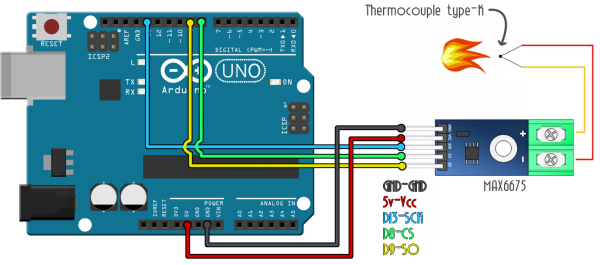
🔌 Wiring (SPI-Style)
MAX6675 Pins
| MAX6675 Pin | Function |
|---|---|
| VCC | 3.3V or 5V |
| GND | Ground |
| SCK | Clock |
| CS | Chip Select |
| SO | Data Out (MISO) |
📌 This module is read-only (no MOSI needed).
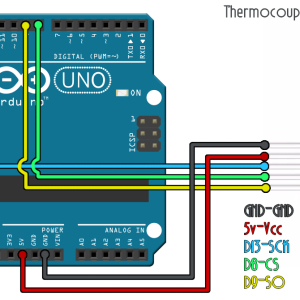
🔌 Wiring – Arduino Uno Example
| MAX6675 | Arduino Uno |
|---|---|
| VCC | 5V |
| GND | GND |
| SCK | D13 |
| CS | D10 |
| SO | D12 |
🔌 Wiring – ESP32 Example
| MAX6675 | ESP32 |
|---|---|
| VCC | 3.3V |
| GND | GND |
| SCK | GPIO18 |
| CS | GPIO5 |
| SO | GPIO19 |
📦 Library Installation (Arduino IDE)
-
Arduino IDE → Sketch → Include Library → Manage Libraries
-
Search for MAX6675
-
Install MAX6675 library by Adafruit (recommended)
🧪 1️⃣ Arduino Example – Basic Temperature Read
🧪 2️⃣ ESP32 Example – Basic Temperature Read
🧪 3️⃣ Simple “Over-Temp Alarm” Example
🔧 Thermocouple Connection Notes (Very Important)
K-type thermocouples are polarity sensitive:
-
Yellow = + (positive)
-
Red = – (negative)
If connected backwards, readings may be unstable or incorrect.
✔ Ensure the thermocouple screws are tight
✔ Avoid using random copper wire extensions (use thermocouple extension wire for accuracy)
🧠 Troubleshooting
Reading stuck at 0°C or very low
-
Thermocouple not connected properly
-
Loose terminal screws
-
Wrong thermocouple type (must be K-type)
Reading is noisy / jumps around
-
Long thermocouple leads near motors/heaters → add shielding / keep away from noise
-
Ensure common ground and stable power supply
Reading doesn’t update quickly
-
MAX6675 has a limited refresh rate (normal behaviour)
Additional information
| Weight | 50 g |
|---|---|
| Dimensions | 260 × 160 × 20 mm |
Only logged in customers who have purchased this product may leave a review.















Reviews
There are no reviews yet.