

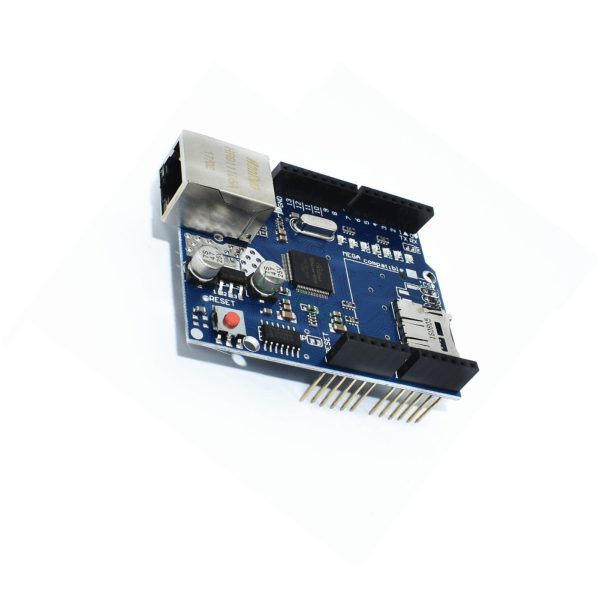
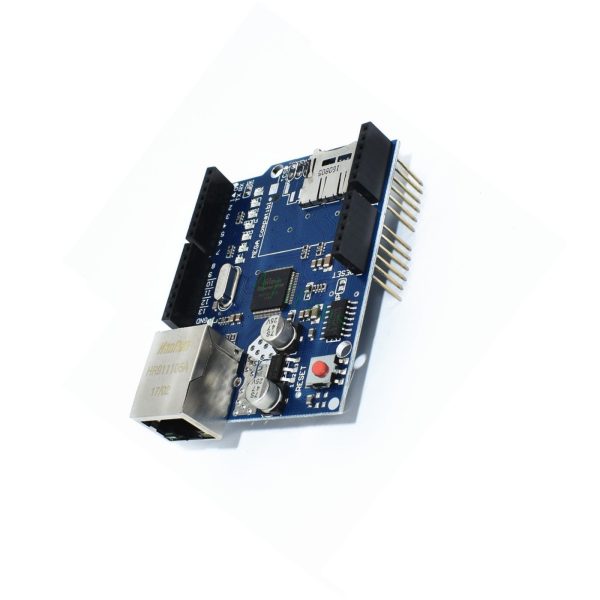
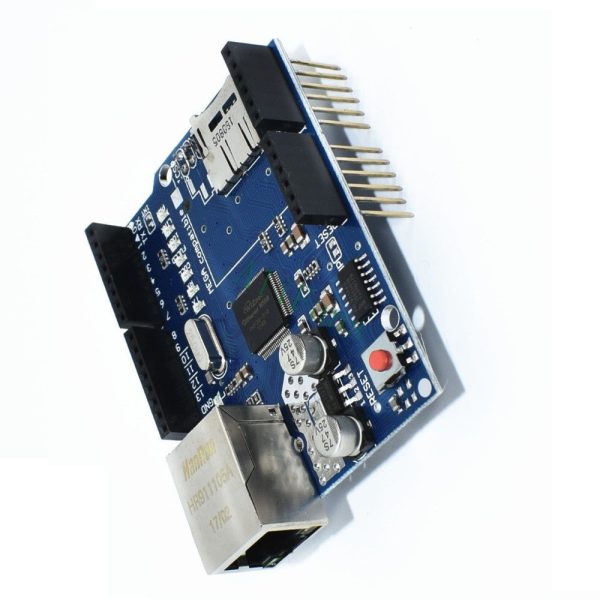
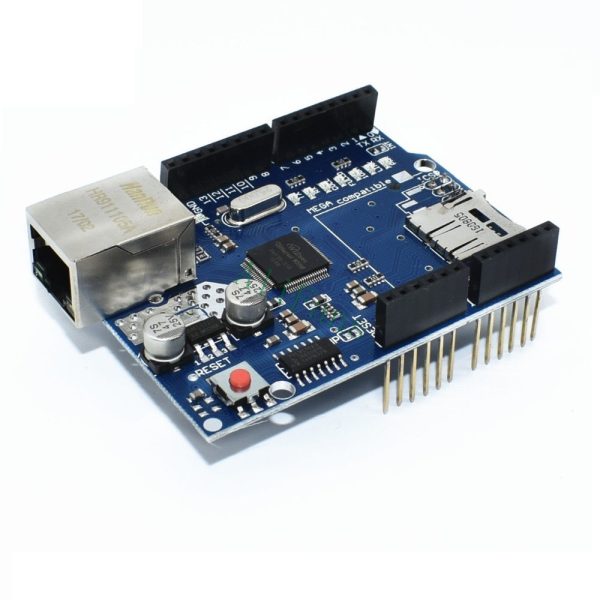


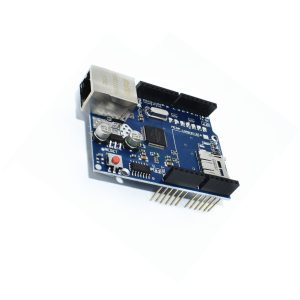
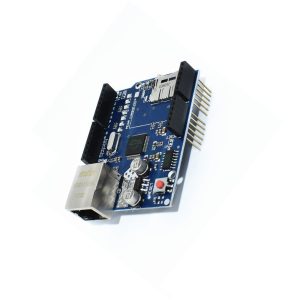
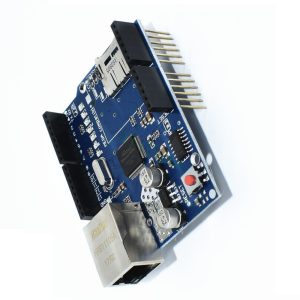
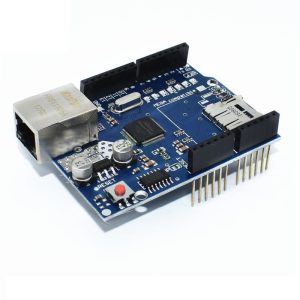


W5100 Ethernet Shield for Arduino UNO Mega 2560 R3 Ethernet LAN Micro SD

$17.50 Inc. GST
You save (%)
- Description
- Code Examples
- Additional information
- Reviews (0)
Description
🌐 W5100 Ethernet Shield for Arduino UNO / Mega – Ethernet + Micro SD | AuscomTech
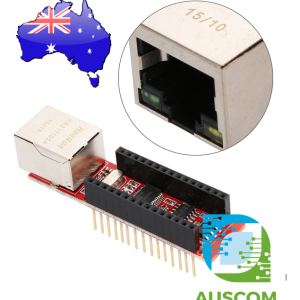
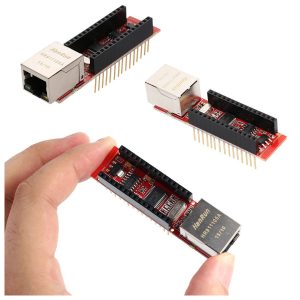
The W5100 Ethernet Shield is an Arduino-compatible networking expansion board designed to add wired Ethernet connectivity to Arduino UNO and Mega platforms.
Built around the reliable Wiznet W5100 Ethernet controller, this shield enables Arduino boards to operate as web servers, network clients, data loggers, or IoT devices using standard TCP/IP protocols.
The shield uses a stackable UNO-style form factor, allowing it to plug directly onto compatible Arduino boards with no additional wiring. A built-in RJ45 Ethernet port and Micro SD card slot provide both network connectivity and local storage for web pages, configuration files, or logged data.
⭐ Key Features
🌐 W5100 Ethernet Controller
Hardware-based TCP/IP stack reduces MCU load and simplifies networking.
🔌 10/100 Mbps Ethernet (RJ45)
Reliable wired networking for Arduino projects and LAN-based systems.
💾 Micro SD Card Slot
Store web content, configuration files, or log sensor data locally.
🧱 Stackable Shield Design
Plugs directly into Arduino UNO-style headers.
⚡ 5V Operation
Powered directly from the host Arduino board.
🔄 SPI Interface
Communicates with the Arduino via SPI for fast and stable data transfer.
📊 Multi-Socket Support
Supports up to 4 simultaneous TCP/UDP connections (W5100 capability).
📊 Technical Specifications
Core
-
Ethernet Controller: Wiznet W5100
-
Internal Buffer: 16 KB
-
Supported Protocols: TCP, UDP, ICMP, ARP
Networking
-
Ethernet Speed: 10 / 100 Mbps
-
Connector: RJ45 (Ethernet cable not included)
Storage
-
Micro SD / TF Card Slot (SPI-based)
Electrical
-
Operating Voltage: 5V (from Arduino host)
-
Logic Level: 5V
Interface
-
Communication: SPI
-
Shield Form Factor: Arduino UNO R3 style
Compatibility
-
Arduino UNO R3
-
Arduino Mega 2560
-
Arduino Mega 1280
-
ATmega328-based boards
🧩 Typical Applications
• Arduino web servers
• IoT and LAN-connected devices
• Home automation controllers
• Data logging with SD storage
• Industrial and educational networking projects
• Remote monitoring systems
⚠️ Important Notes
• Arduino board not included
• Ethernet cable not included
• Uses SPI — ensure no SPI pin conflicts with other shields
• Suitable for wired Ethernet applications (not Wi-Fi)
📦 Package Includes
• 1 × W5100 Arduino-Compatible Ethernet Shield
• Micro SD card slot onboard (card not included)
📌 Code Examples & Usage – W5100 Ethernet Shield for Arduino
📋 Overview
The W5100 Ethernet Shield allows Arduino boards to connect directly to a wired Ethernet network using the Wiznet W5100 TCP/IP controller. It handles the full TCP/IP stack in hardware, making Ethernet communication reliable and simple.
This shield is commonly used for:
-
Industrial and commercial automation
-
Data logging to local networks
-
Web-based monitoring & control
-
PLC / SCADA gateways
-
Smart devices requiring stable wired networking
It is designed to plug directly onto Arduino Uno, Mega 1280, Mega 2560, and compatible boards.
⚙ Key Features
-
Ethernet controller: Wiznet W5100
-
Interface: SPI
-
Network speed: 10 / 100 Mbps
-
Supports: TCP, UDP, HTTP, DHCP
-
RJ45 connector with integrated magnetics
-
Uses standard Arduino Ethernet library
-
More stable than WiFi in industrial environments
⚠ IMPORTANT – Compatibility Notes
✔ Uses SPI bus
✔ Requires CS (Chip Select) pin 10 (Uno)
✔ SD card (if present) uses CS pin 4
📌 If using both Ethernet and SD card, ensure only one CS is active at a time.
🔌 Pin Usage (Arduino Uno)
| Function | Arduino Pin |
|---|---|
| SPI MOSI | D11 |
| SPI MISO | D12 |
| SPI SCK | D13 |
| Ethernet CS | D10 |
| SD Card CS | D4 |
📌 These are fixed by hardware on Uno-style boards.
🔌 Power Notes
-
Powered from Arduino 5V rail
-
Recommended supply: ≥1A when used with peripherals
-
Avoid powering Ethernet shields from weak USB ports in industrial environments
🛠 Arduino IDE Setup
Ensure you have:
-
Ethernet library (included with Arduino IDE)
No additional libraries required for basic use.
🧪 1️⃣ Basic Network Test (DHCP)
This example checks if the shield can obtain an IP address automatically.
✔ If an IP is printed, the shield is working correctly.
🧪 2️⃣ Static IP Configuration (Recommended for Industrial Use)
📌 Static IPs are preferred for PLC, SCADA, and fixed installations.
🧪 3️⃣ Simple Web Server Example
This turns your Arduino into a basic web server.
✔ Access via browser: http://192.168.1.60
🧪 4️⃣ PLC / Industrial Gateway Use Case
Common uses include:
-
Sending sensor data to a SCADA server
-
Receiving commands via HTTP or TCP
-
Acting as a Modbus TCP gateway (with additional libraries)
📌 Ethernet is preferred over WiFi for:
-
Electrical noise immunity
-
Fixed installations
-
Predictable latency
🧠 Common Issues & Fixes
| Issue | Cause | Fix |
|---|---|---|
| No IP address | DHCP blocked | Use static IP |
| Shield not detected | CS conflict | Ensure pin 10 is OUTPUT |
| Unstable connection | Power issue | Use proper 5V supply |
| SD card not working | CS conflict | Disable Ethernet CS when using SD |
Additional information
| Weight | 40 g |
|---|---|
| Dimensions | 160 × 260 × 20 mm |
Only logged in customers who have purchased this product may leave a review.














Reviews
There are no reviews yet.